Google Maps Timeline Visualizer: The Viral TikTok Trend Turning Your Travel History Into Animated Videos
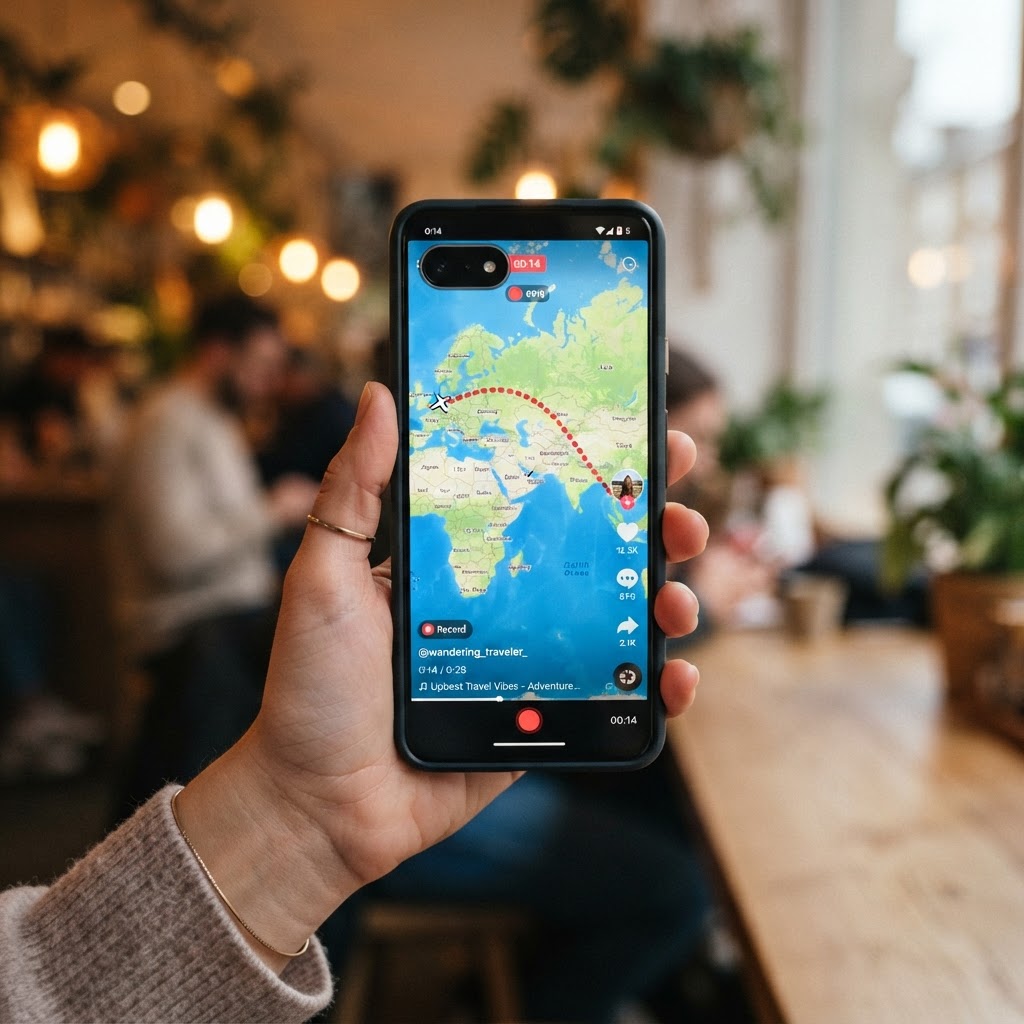
Have you seen those videos on TikTok where someone's entire year of travel gets drawn out on a map like a glowing trail? One minute you're scrolling past dance challenges, and the next you're watching a dotted line snake through cities, countries, and continents — all set to emotional music. That's the Google Maps Timeline Visualizer, and honestly, it's taking over everyone's feed right now.
I'll admit — when I first saw one of these videos, I watched it three times. There's something weirdly emotional about seeing a whole year of your life plotted out as moving lines on a map. Every trip to the grocery store, every road trip, every flight — it all shows up. And people are absolutely obsessed with it.
The Google Maps Timeline Visualizer trend has exploded on TikTok in late August 2026, with millions of views on videos showing animated travel routes. But here's the thing most people don't realize: this tool isn't actually made by Google. It's a third-party project that takes your Google location data and turns it into something beautiful. Let me break down exactly what it is, why it's going viral, and how you can make your own.

What Is the Google Maps Timeline Visualizer?
Okay, so here's the simplest way to explain it. You know how Google Maps has been quietly tracking your location for years? Every time you open Maps, search for directions, or just have your phone in your pocket with location turned on — Google records where you are. All that data gets stored in something called your Google Maps Timeline.
The Timeline Visualizer takes that raw data and turns it into an animated video. Imagine a map of your city, your country, or the whole world — and then a line starts drawing itself showing everywhere you've been. It moves through time, day by day, month by month. The result is a short video that looks like a mini documentary of your travels.
Here's the important part: the Timeline Visualizer is NOT a Google product. It's an independent, open-source project built by developers and shared on GitHub. It just uses the data that Google has already collected from your phone. The tool processes everything locally on your device, which means your location data doesn't get uploaded to any server.
How the Timeline Visualizer Works Behind the Scenes
The technical side is pretty straightforward, even if you're not a programmer. Your Google Maps Timeline data gets exported as a file called Timeline.json. Think of it as a giant text file filled with coordinates and timestamps — latitude, longitude, date, time. Thousands and thousands of data points.
The Visualizer reads that file and plots each point on a map. Then it animates them in chronological order, drawing lines between consecutive points. The newer versions can handle over 630,000 location points spanning 15+ years without crashing your browser. That's a lot of data — a typical export file can be 170 MB or more.
The latest version, 1.9.0, was released in August 2026 and includes improvements like a separate video library, travel period summaries, and better video saving for Android devices. The project even made it to GitHub's trending repositories list, which is basically the developer world's version of going viral.
Why the Timeline Visualizer Is Going Viral on TikTok
So why is everyone suddenly making these videos? I think it comes down to a few things.
First, there's the nostalgia factor. When you see a year of your life drawn out on a map, it hits differently than scrolling through photos. You see patterns you never noticed — how many times you drove to the same coffee shop, that random trip to a neighboring city you forgot about, the long road trip during summer. It's like your life becomes a story you can actually see.
Second, these videos look incredible on social media. The animated lines, the map backgrounds, the music people add — it's perfect TikTok content. Short, visual, and emotional. Creators are getting millions of views by simply showing where they've been.
Third, and this might be the biggest reason: people are discovering that Google has been tracking them this whole time. For a lot of folks, seeing their entire location history laid out is both amazing and slightly unsettling. That mix of emotions drives engagement. People comment, share, and make their own videos.
How to Export Your Google Maps Timeline Data
Before you can make your own animated travel video, you need to get your location data out of Google. There are three ways to do this, and I recommend trying all of them because some methods don't work for everyone.
Method 1: Export from Your Android Phone
This is the most common method right now. Here's what you do:
- Open Settings on your Android phone
- Tap on Location
- Go to Location Services
- Select Timeline
- Tap Export Timeline Data
- Save the Timeline.json file to your device
The exact menu names might be a little different depending on whether you're using Samsung, Pixel, or another brand, but the general path is the same. Look for anything related to Location Services and Timeline.
Method 2: Export from Your iPhone
If you're on iOS, the process is slightly different:
- Open the Google Maps app
- Go to Settings
- Tap Personal Content
- Select Export Timeline Data
iPhone users can then use the web version of the Timeline Visualizer through their browser. The APK version is Android-only, so don't try installing that on your iPhone — it won't work.
Method 3: Google Takeout
The third option is Google Takeout, which lets you download all your Google data at once:
- Go to takeout.google.com in your browser
- Select Location History (Timeline)
- Choose your export format and delivery method
- Wait for Google to prepare your download
Heads up though — this method doesn't work for everyone anymore. Google changed how they store location data back in late 2024, and some users have reported that Takeout doesn't include their full Timeline history. If this happens to you, try the phone export methods instead.
What Happened to Google Maps Timeline on the Web?
Here's something that might surprise you. Back in late 2024, Google actually shut down the web version of Google Maps Timeline. They moved all location data to on-device storage — meaning your Timeline now lives on your phone, not on Google's servers.
Only the last 90 days of data were automatically migrated to the new system. Everything older than that? Deleted. Unless you manually backed it up, years of location history just vanished. A lot of people were angry about this, and honestly, I get it. You don't realize how much you value that data until it's gone.
This is partly why the Timeline Visualizer is so popular right now. People who managed to export their data before the cutoff can still see their full history using these third-party tools. It's like recovering lost memories.
If you still have your Timeline data, export it now. Don't wait. Once it's gone, you can't get it back. I cannot stress this enough — if you're reading this article and you haven't exported your Google location history, go do it right now after you finish reading. Seriously.
How to Make Your Own Travel Map Animation Video
Alright, let's get to the fun part. Once you have your Timeline.json file, here's how to turn it into an animated video.
For Android Users
The Timeline Visualizer app is available as an APK from the project's GitHub repository. It requires Android 8.0 or later. Here's the process:
- Download the APK from the official GitHub repository only
- Install it on your phone (you may need to allow installs from unknown sources)
- Open the app and select your exported Timeline.json file
- Choose the time period you want to visualize
- Preview the animation
- Generate and save the MP4 video
Important safety note: only download the APK from the official GitHub page. There are already fake versions popping up on random websites. Android will probably show you a warning when you try to install it because it's not from Google Play — that's normal for sideloaded apps, but you should still be careful.
For iPhone Users
iPhone and iPad users can use the web version of the Timeline Visualizer through any modern browser like Safari or Chrome. You export your Timeline data from the Google Maps app as described above, then upload it to the web tool. The processing happens right in your browser, so your data doesn't go anywhere.
For Desktop Users
There's also a Python-based version for computers. You'll need Python 3.9 or later and FFmpeg installed to generate videos. This version gives you more control over the output and is great if you want to create higher-quality videos or process very large datasets.
TravelAnimator: The App Making Travel Videos Even Easier
While the Timeline Visualizer is the open-source option going viral on TikTok, there's also a more user-friendly app called TravelAnimator that's worth knowing about. Made by a company called Lascade, TravelAnimator lets you create animated travel videos without dealing with JSON files or GitHub repositories.
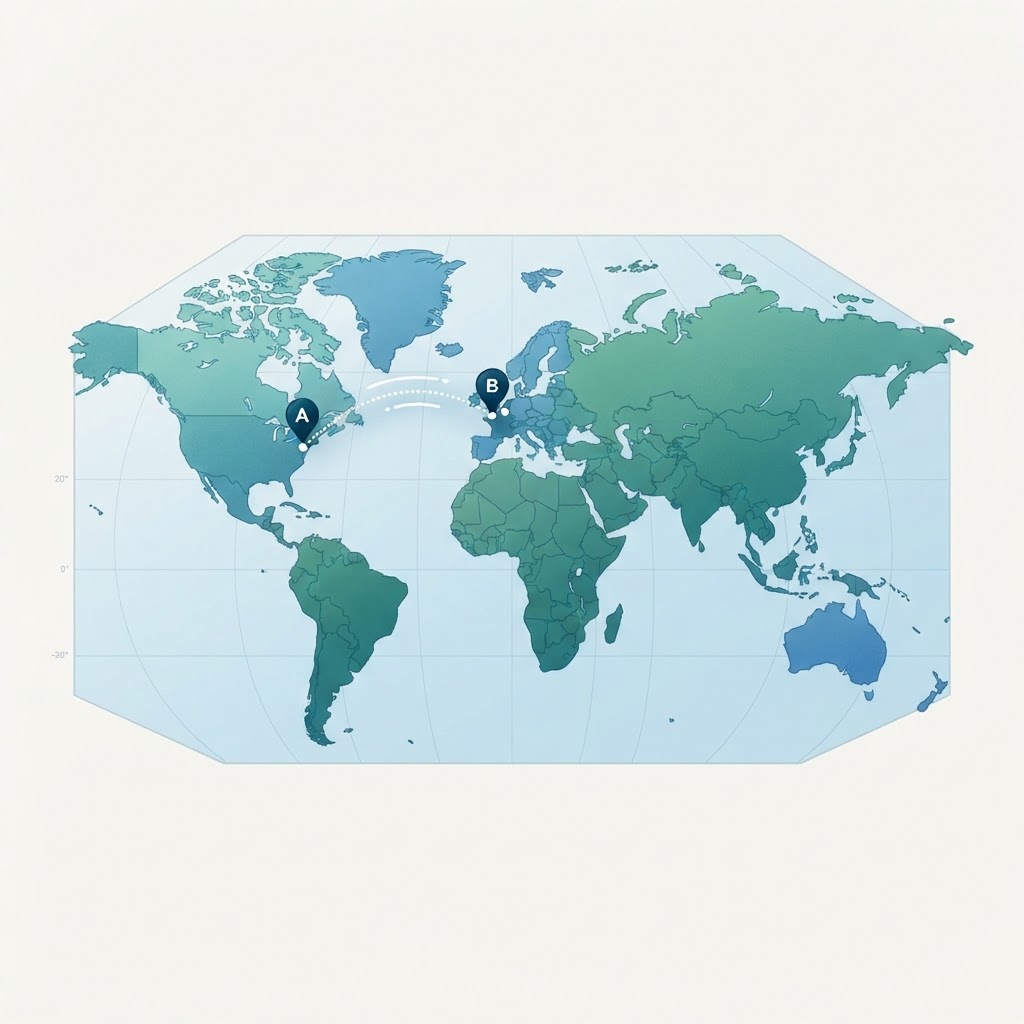
Instead of uploading your location data, you simply paste a Google Maps link into the app. Pick your map style, choose your mode of transportation (car, plane, or boat), and the app generates a cinematic travel video in HD or 4K. It comes with over 250 animation styles and 30+ map designs.
TravelAnimator already has around 2 million users across 90 countries. The app has a free version that works forever, with paid features for more customization. It's available on Google Play, which makes it a safer option if you're nervous about sideloading APKs.
The difference between the two tools is pretty clear. The Timeline Visualizer is for people who want to see their actual location history — everywhere they've actually been. TravelAnimator is more for creating stylized videos of specific trips or routes you want to share. Both are great depending on what you're going for.
Is the Google Maps Timeline Visualizer Safe to Use?
This is probably the question I get asked most when I talk about this tool. And it's a fair question — we're talking about your location data, which is some of the most personal information about you.
Here's what the developers say: your Timeline file is processed entirely on your device. It does not get uploaded to any server. The app doesn't require a Google login, doesn't show ads, doesn't include analytics tracking, and doesn't ask for direct location permissions. That's about as privacy-friendly as an app can get.
However — and this is important — the base map in the visualizer uses CARTO services, which are based on OpenStreetMap data. When the map loads, the tile provider may receive your IP address and information about which map area you're viewing. So while your location history stays on your phone, there is some minimal network communication for the map display itself.
My advice? Treat your Timeline.json file like you would treat your personal diary. Don't upload it to random websites. Don't share it with people you don't trust. Only use tools that process data locally, and always download apps from their official sources.
Creative Ways People Are Using Travel Map Animations
The viral TikTok trend has sparked a lot of creativity. Here are some of the coolest ways people are using these animated travel maps:
- Year-in-review videos: Creators show everywhere they traveled in a year, set to emotional music. These consistently get millions of views.
- Road trip documentaries: Instead of just posting photos from a road trip, people animate the entire route on a map and narrate the journey.
- Move-in day memories: College students and people who relocated are animating their journey from home to their new city.
- Mudik trip videos: In Indonesia and Malaysia, people are animating their annual homecoming journeys to share with family.
- Food blogger trails: Food creators are showing their routes visiting different restaurants and markets across a city.
- Flight crew schedules: Airline staff are using these tools to visualize their daily work routes across the globe.
The travel content industry is booming. It's expected to be worth $4.5 billion, and tools like the Timeline Visualizer and TravelAnimator are making it easier than ever for anyone to create professional-looking travel content without expensive editing software.
Frequently Asked Questions About the Google Maps Timeline Visualizer
Is the Timeline Visualizer an official Google product?
No. The Timeline Visualizer is a third-party, open-source project developed independently. It is not made by, endorsed by, or affiliated with Google. It simply uses the location data that Google has already collected from your phone.
Do I need to pay to use the Timeline Visualizer?
No, the Timeline Visualizer is completely free. It's an open-source project available on GitHub. There are no subscriptions, no premium tiers, and no ads. The related app TravelAnimator does have paid features, but its free version works permanently.
Will my location data be uploaded to a server?
No. The Timeline Visualizer processes your data entirely on your device. Your Timeline.json file is not sent to any server. The only network communication is for loading the map display, which uses CARTO and OpenStreetMap tiles. Your IP address may be visible to the tile provider, but your location history is not transmitted.
Can I use the Timeline Visualizer on my iPhone?
Yes. iPhone and iPad users can access the web version through a modern browser like Safari or Chrome. Export your Timeline data from the Google Maps app, then upload it to the web tool. The Android APK version cannot be installed on iOS devices.
What if I lost my Google Timeline data?
If Google deleted your older Timeline data during the 2024 transition to on-device storage, there is unfortunately no way to recover it. Google only migrated the last 90 days of data. If you previously exported your data using Google Takeout or a phone backup, you can still use that file with the Timeline Visualizer.
Conclusion: Your Travel History Deserves to Be Seen
Look, I know not everyone is comfortable with the idea that Google has been tracking their location for years. That's a totally valid concern, and it's one worth thinking about seriously. But if that data exists — and it probably does — you might as well do something cool with it.
The Google Maps Timeline Visualizer turns a boring JSON file full of coordinates into something genuinely moving. A video of everywhere you've been. A visual record of a year, or five years, or a decade of your life. It's the kind of thing that makes you appreciate how much you've actually experienced.
If you haven't already, export your Google Maps Timeline data today. Before it gets deleted. Before Google changes another policy. Once you have that file, try the Timeline Visualizer and see your travels come to life. Then share it on TikTok, because honestly? That's what everyone else is doing, and the videos really are that good.
Your travels tell a story. Now you can actually watch it unfold.


Comments
Post a Comment